Overview and technical parameters
User’s Manual
Overview and technical parameters
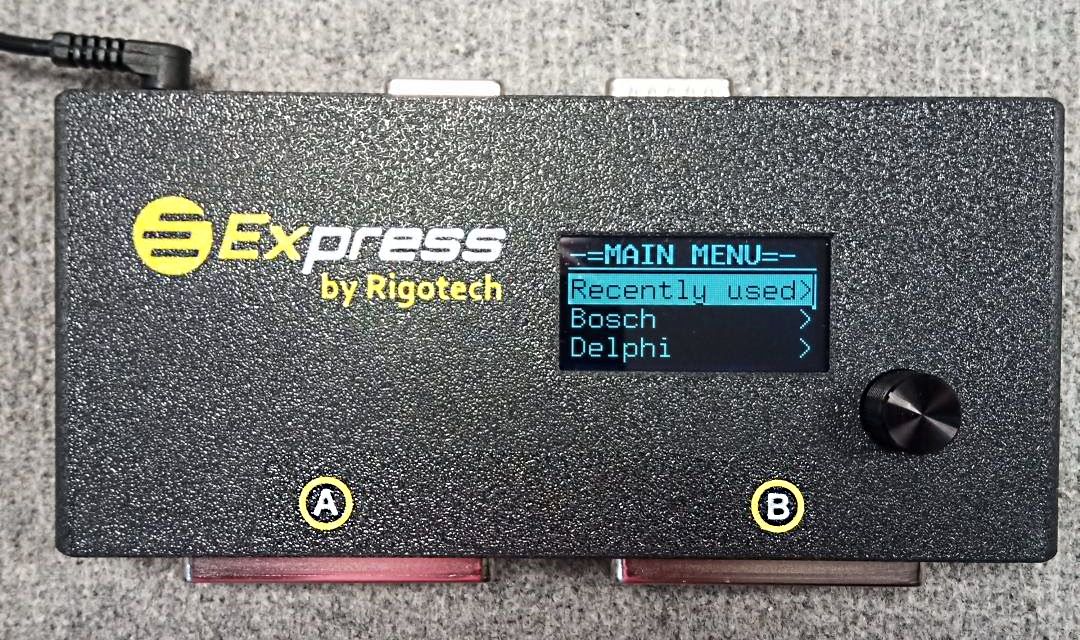
- The Express box
- CAN configuration support
- The connectors on the Express box
- Boot-mode operations and wiring / pinout
- D-Sub15 female connector for adapters / tuning tools
- D-Sub15 female connector's pinout
- 5.5/2.1mm standard DC power input socket
- What is in the Express Cable package
- Warranty
- Technical parameters of Express box
The Express box
The Express ‘system’ consists a
- multiplexer box called ‘Express-box’ or simply ‘Express’,
- some adapters to connect different (any) tuning / diag tools,
- some cables to connect 85% of car’s ECUs on safe and very quick way
- firmware and configuration files on Express (details are at the ‘Updates’ section)
Express box is a software controlled interface electronics that makes possible to use ONE cable for several ECUs, switching its wires (lines) to the appropriate positions of the connected ECU.
It is not only a “switching board”. It does several tests on its lines before turn on the power on its outputs for the ECU. That means, it controls / monitors the incoming voltage, current, the outgoing currents on the wires of the ECU to avoid any damage due to wrong ECU selection, or in case if different ECU is connected like the selected one. It won’t do neither the connection test if the conditions don’t meet its preset. For i.e. it will do nothing with the ECU if:
- low or high voltage on the DC input
- no / wrong cable connected
- unwanted voltage detected from the tuning tool
Express gives warnings, errors and suggestions if something is not okay.
CAN configuration support
Express box is capable to be configured automatically on CAN bus for the best possible user experience. The tuning tool’s software also can check (retrieve via CAN) the status of Express, voltage, current, testdata and info about the connected / selected ECU.
These special functions should be supported by the tuning tool. We have a free API for our CAN interface that is very easy to integrate to any tuning software / platform like CMD, Kess3, Autotuner, Flex, Dfox, Trasdata, PCM/MMC flash, and any other tuningtool. Who and when will include this API it is depending on the tuning tool’s developers, not on us. We are open to do any cooperation. If you need this function in your tuningtool, please aks its support, and show them this article.
Without this ‘CAN support’ the Express works perfectly, but you need to select the connected ECU manually from its menu.
Our vision is: all major tuning tools supports Express (for the convenience of their users, and because of this is a very innovative and fancy feature, and very easy to implement.) So when for i.e. in CMD you select an EDC16U1 (the ECU is already attached to Express) and press ID, the tool configures Express automatically, and you’ve got ID without any further manual settings. All should go as simple as on OBD sessions.

The connectors on the Express box
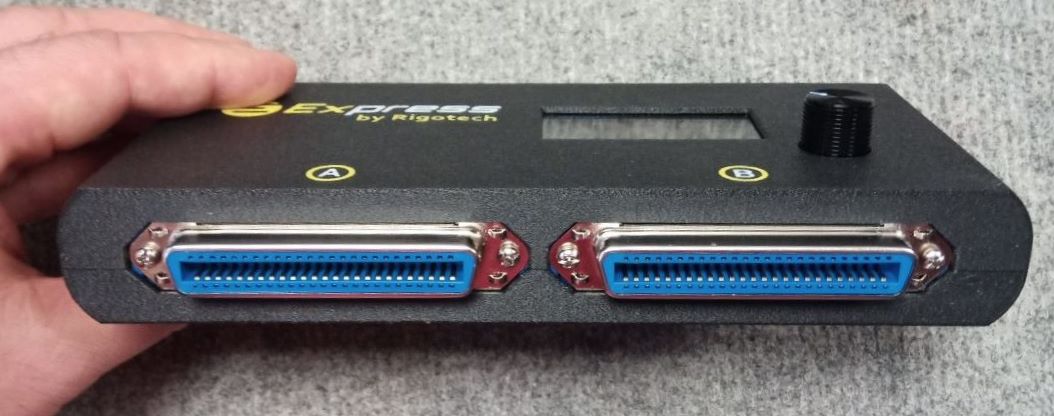
Front
At the front there are 2 pc of 50 pins centronics connectors. All of our Cx (C1-C16) cables connect here. There are A and B marks, you have to plug the A plug to the A socket, and B to B. We have some Cx cables, where only B plug exists.
Express monitors the connected cable, and take care of the good positions. If something is not ok, it warns you to check connections, replace the cable.
Back
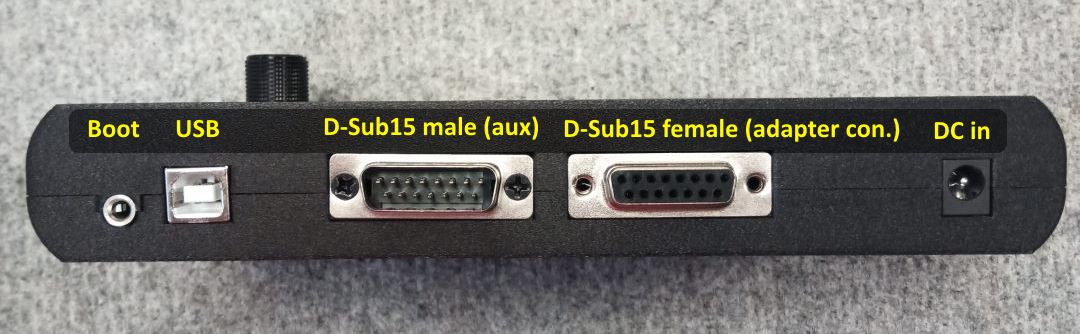
There are 5 connectors:
- 3.5 Jack for boot mode connections
- USB for firmware updates
- D-Sub15 male (auxiliary connector just for Autotuner connection)
- D-Sub15 female main connector to connect adapters / tuning tools
- 5/2.1mm standard DC power input socket
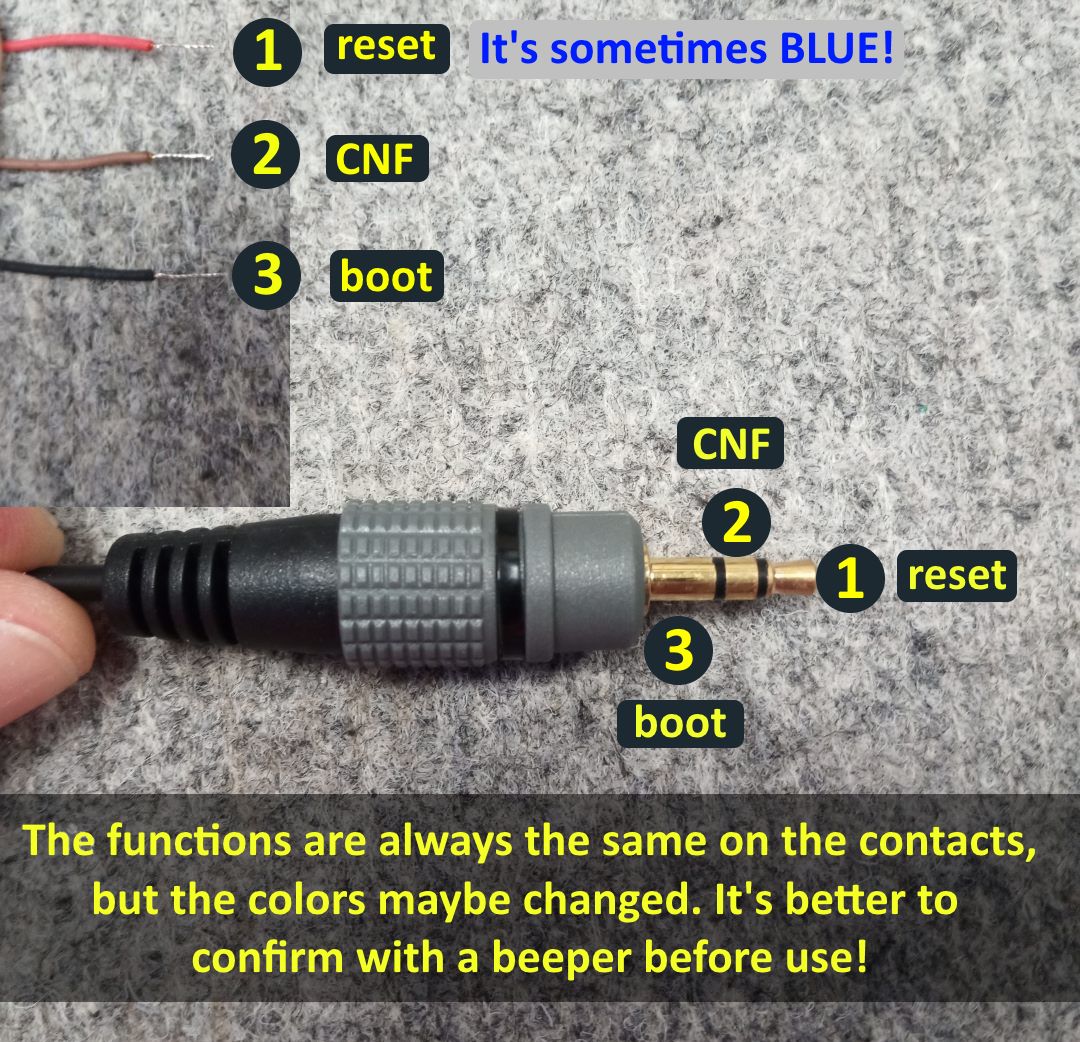
3.5 Jack socket for boot lines and boot mode with Express
Express supports sessions / connections in boot mode as well. All are the same like conventional wiring of boot mode, but now Express drives the power and communication lines, so you don’t need to put these wires one-by-one to the ECU. – just put on the original connectors, and select the ECU in the menu of Experss. (Maybe later a submenu will come to disable GPT signals, because of some tools gives unwanted signals…)
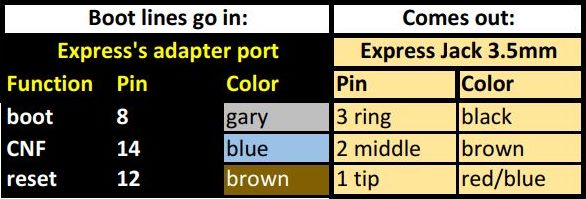
The boot, reset, CNF signals are passing through the Express. That means these signals goes into the box and come out on this 3.5 Jack port. Check the pinout on the picture.
At some tools like Hexprog2, Flex+Flexbox, etc. don’t use our 3.5 Jack cable, because of their boot lines don’t go into Express, so won’t come out. Instead connect the tool’s boot lines directly to the ECU! – while other lines are driven by Express
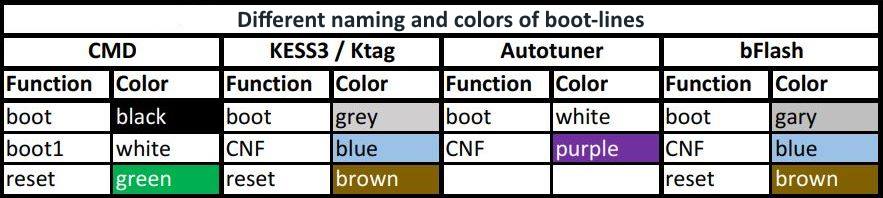
Here is a spreadsheet of naming and color of some tool’s boot lines. Including CMD, Kess3, Ktag, (probably Trasdata), Autotuner, bFlash.

D-Sub15 female main connector to connect adapters / tuning tools
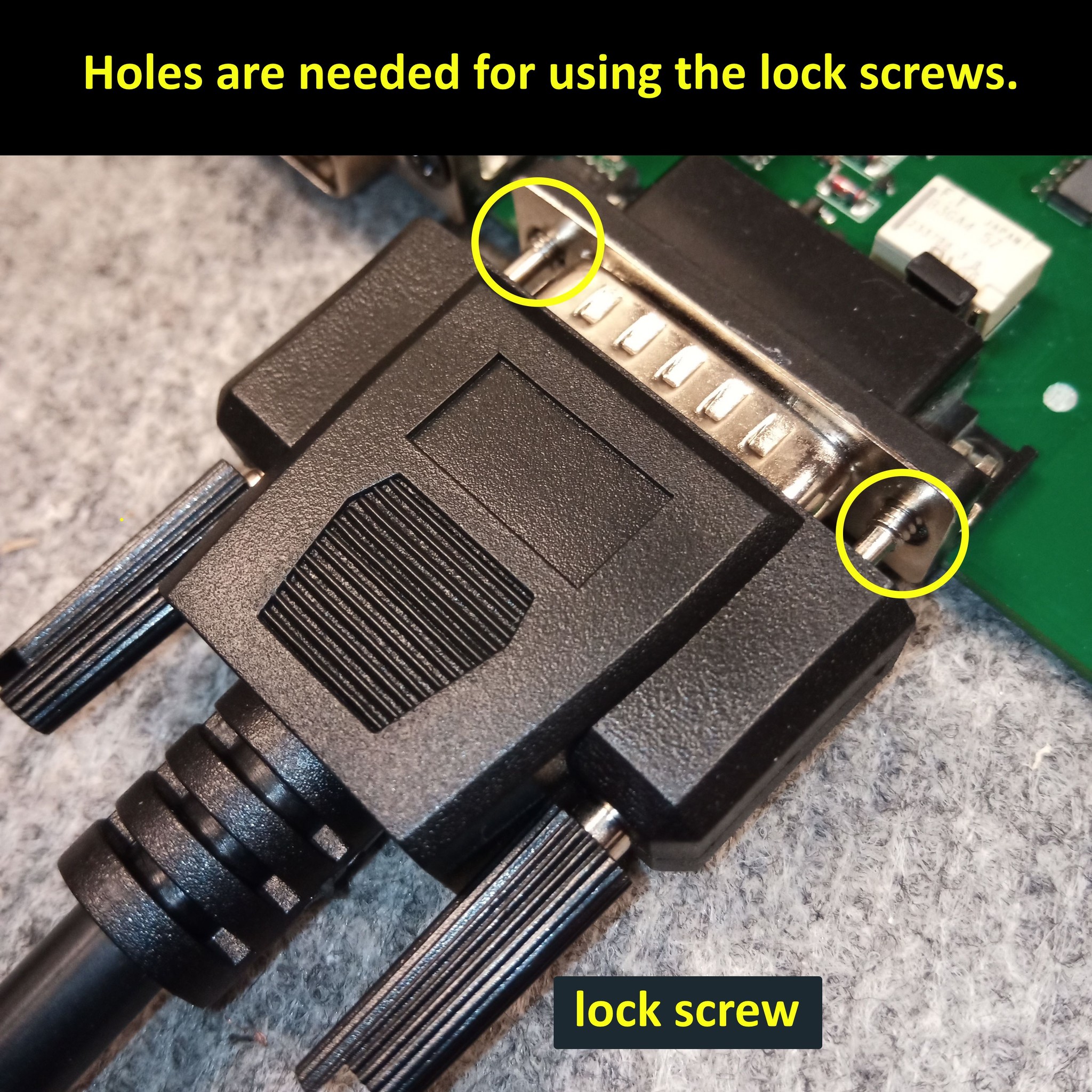
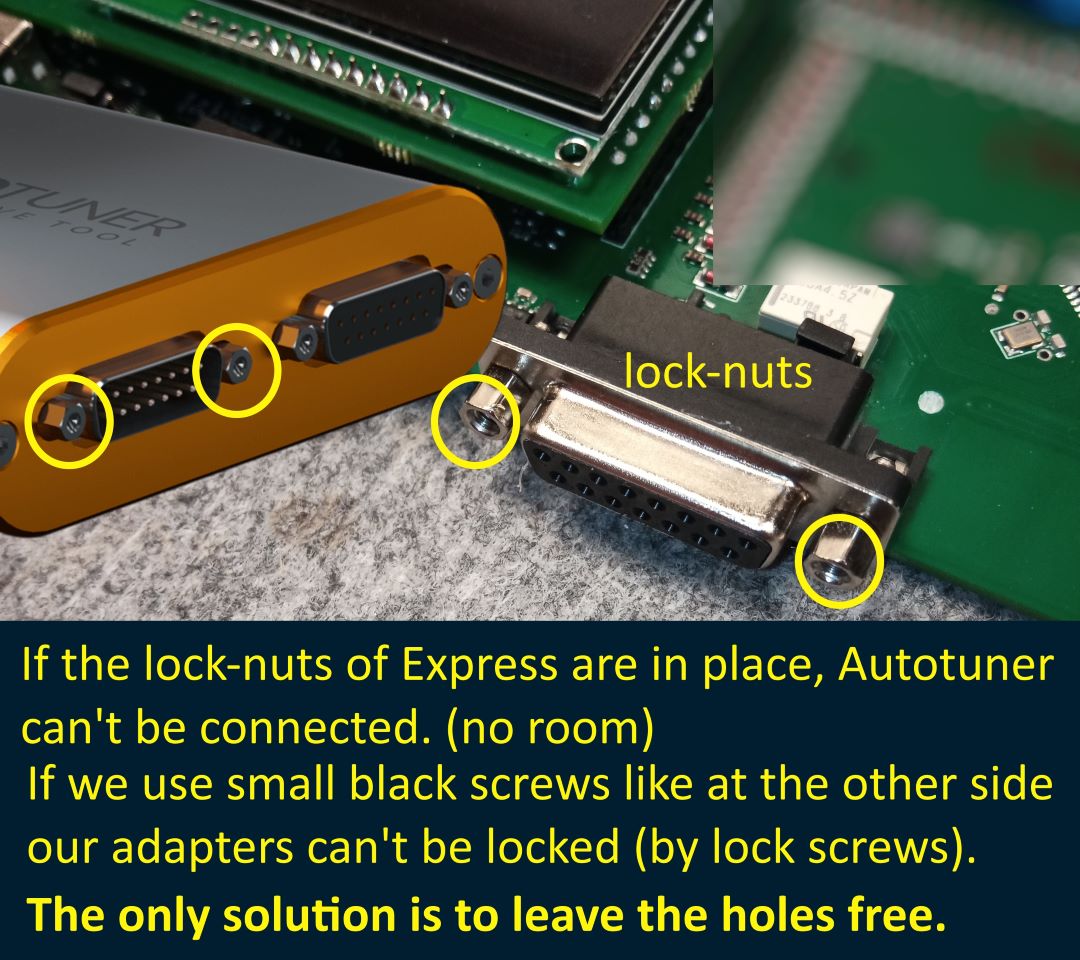
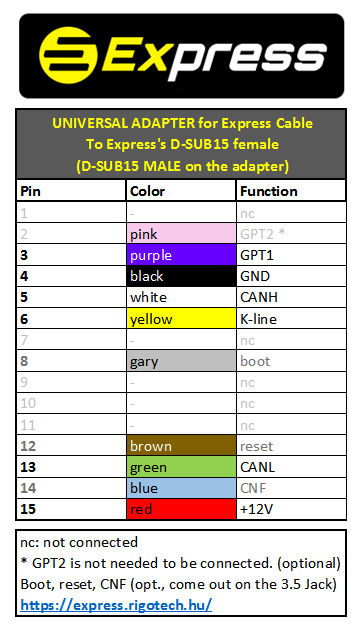
This is the port where to the tuning tool connects. Autotuner connects directly (no adapter required!), the others need a specific adapter. You can make your own adapter cable if have a D-sub 15 male connector, and follow the pinout below.
D-Sub15 female main connector’s pinout for adapters
Warning!
Incorrect wiring can damage Express, the tuning tool, and the connected ECU. Do it only on your own risk. Warranty is void if Express damaged thanks to wrong wiring. You can check our adapters here.
5.5/2.1mm standard DC power input socket
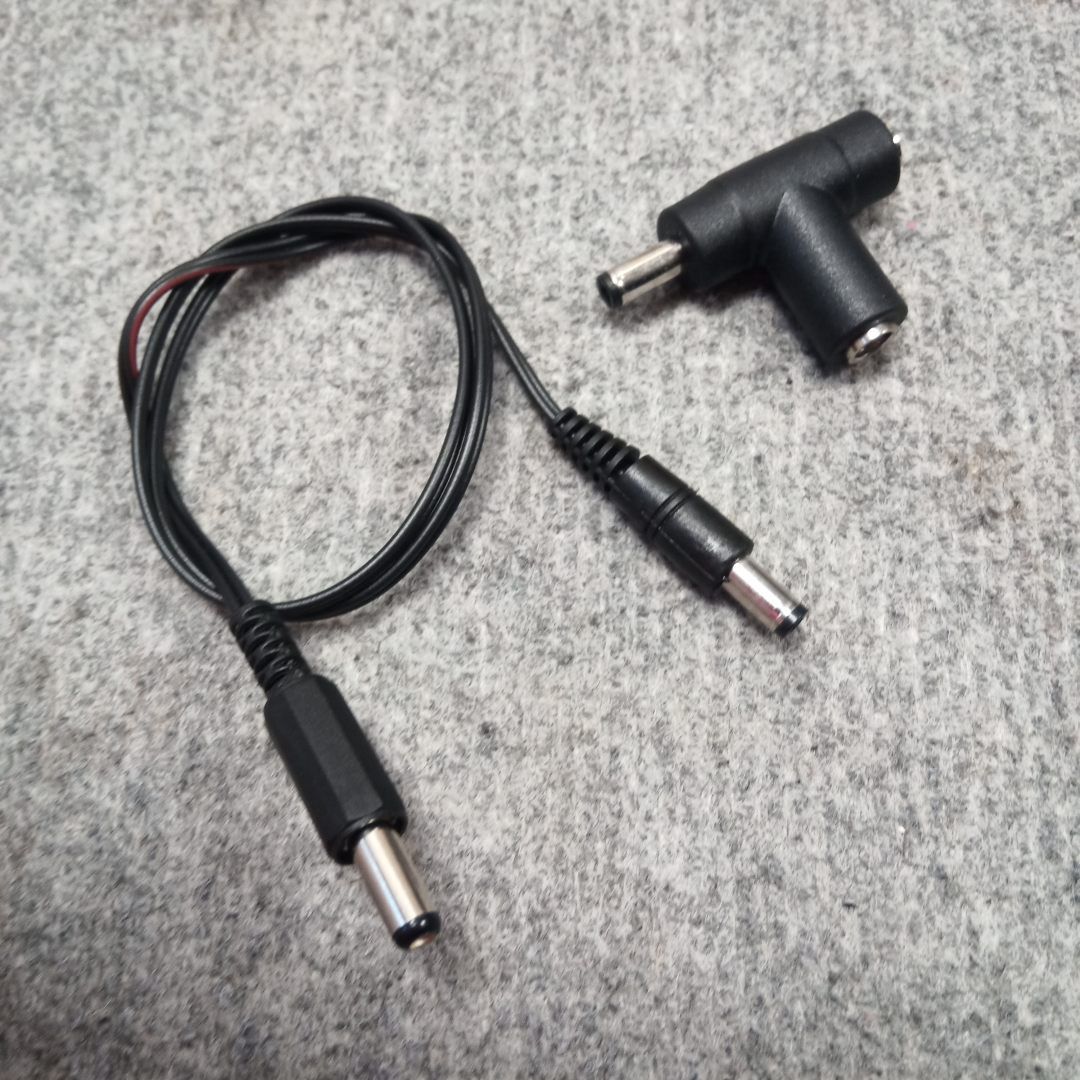
This is the usual power socket. You could plug in you power supply (PWS), but have to use the given power cable and T-splitter because of you have to power your Express and tuning tool at the same time, from the SAME power supply!
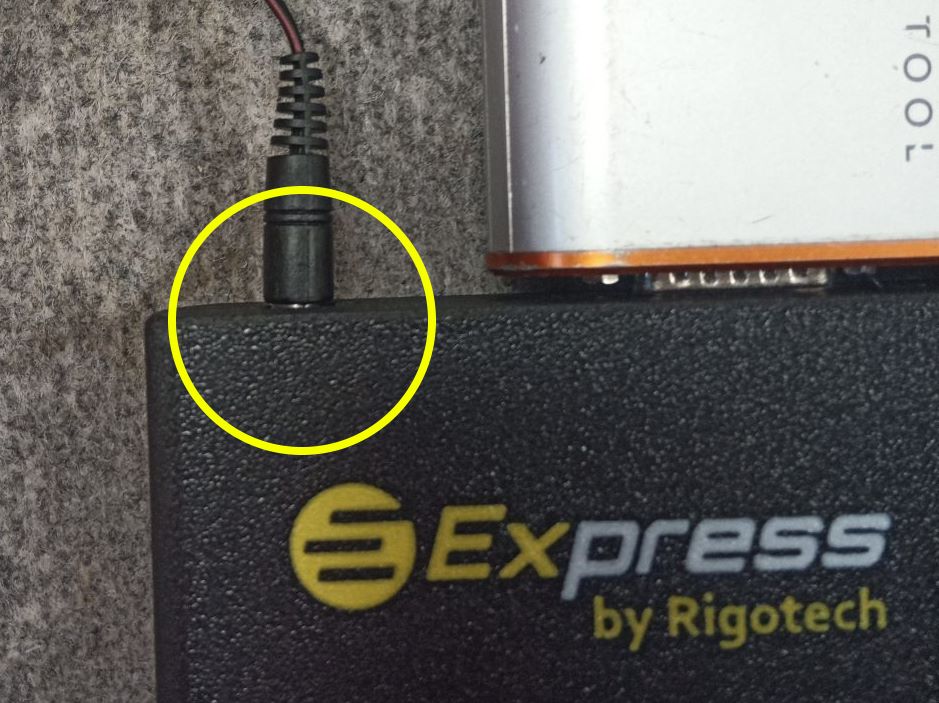
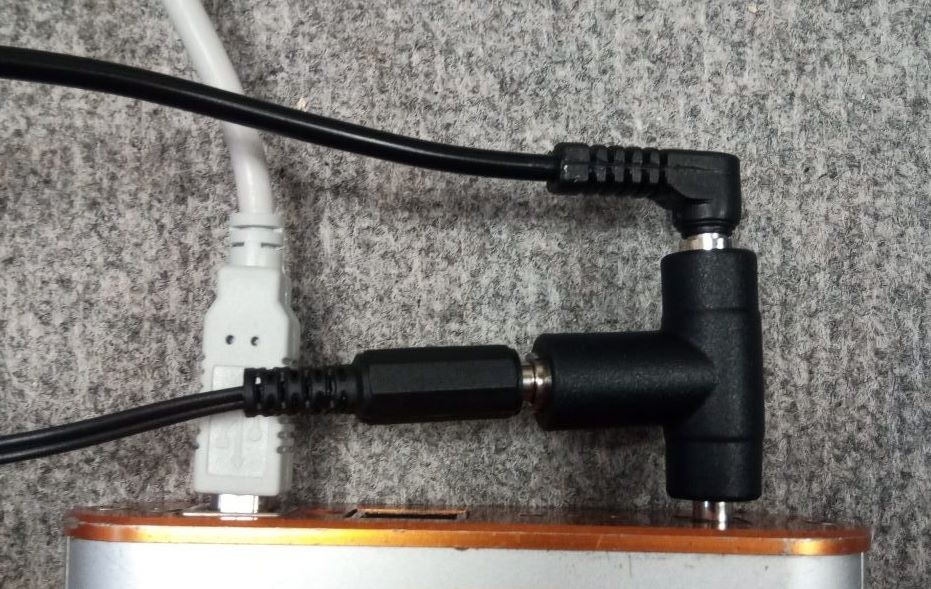
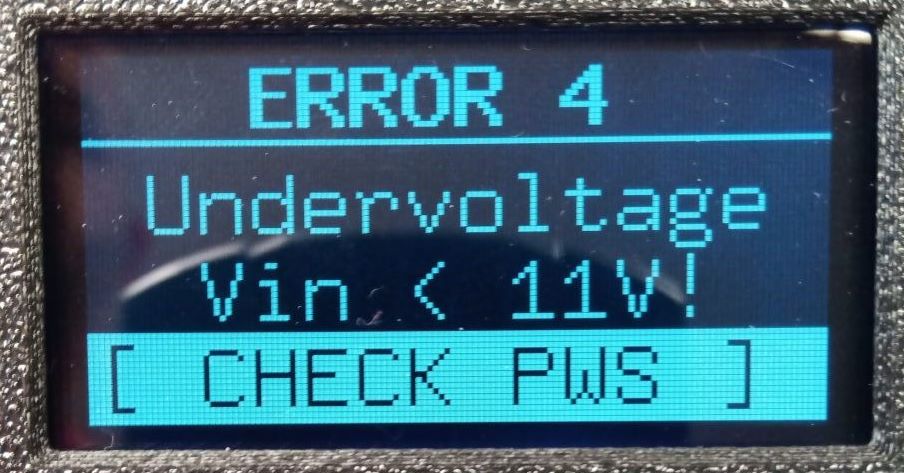
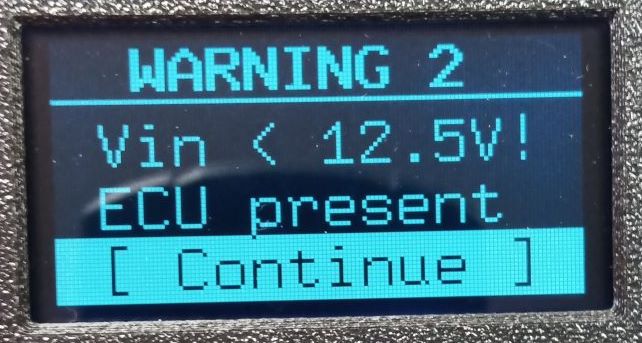
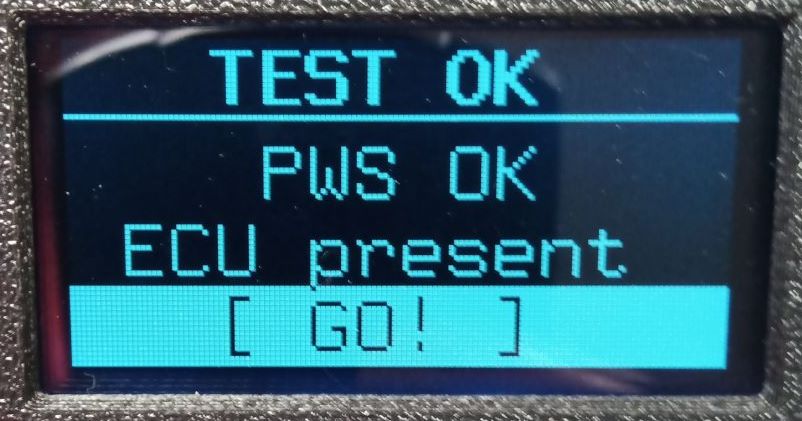
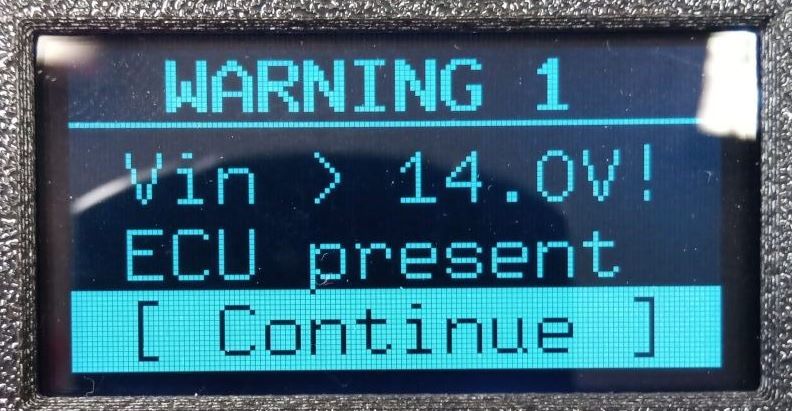
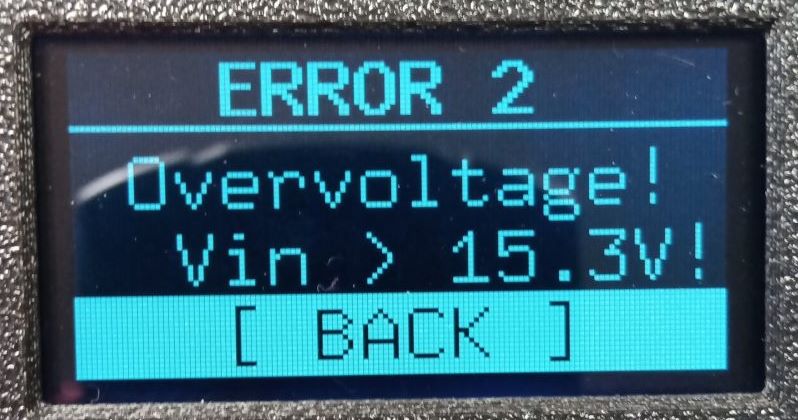
Express works in the range of 11.0-14.5V. If the DC input voltage is out of this range it gives a warning or error message like on these photos. Further specifications are at the technical data section.
What is in the Express Cable package
We send with all Express box:
- 5/2.1mm to 5.5/2.1mm power cable
- DC ‘T-splitter’
- optionally the selected Cx cable(s)
- predefined activations of the cable(s)
- optionally the selected adapters for different tuning tools
- optionally the 3.5 Jack boot-cable
The standard A-B USB cable is not included. – it is needed only for updates
Warranty
The Express box, Cx cables, adapters include 1 year of warranty on not moving parts. In case of intensive use, the connectors / contacts may corrode or break, the wires may break. These are not covered by the warranty.
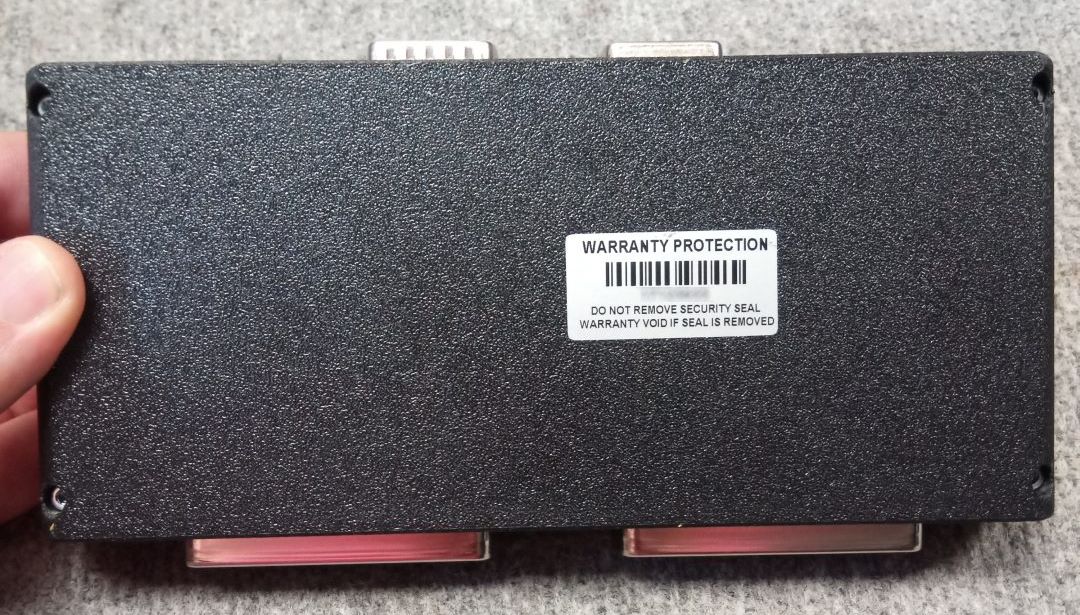
There is a warranty seal on the bottom of the box. If it is damaged, or missing the warranty is void. If you experience abnormal operation, do not start repairs, in any case contact support and return the device for a check.
Technical parameters of Express box
Operating voltage: DC 11-14.5V
Recommended DC in: 13.0 – 13.5V
Absolut maximum voltage on DC in / from the tool: 16V
Idle current: < 150mA
Output current (nominal, continuous in total – all pins): 750 mA
Output current peak (in total – all pins): 6A
Overcurrent protection: 750mA PTC fuse (trip current 1.5A), + digital monitoring / switching
Reverse polarity protection: yes, on DC input and D-Sub15 female, no: D-Sub15 male
Voltage drop: < 1V @ 750mA
Overload protection on USB: yes 200mA PTC fuse
Power switching (forwarding) delay: < 1ms
CAN signal delay: < 1us
K-line signal delay: < 1us
GPT signals start delay: < 6ms
CAN speed: variable, 1Mbit tested
CAN interface: details in the CAN API documentation on request
ECU side port count: 96 pins / multiplexed lines
Redirections (function/pin): GND 8, +12V 29, CANH 18, CANL 18, Kline 6
GPT output on: 50 pins
Display: 128×64 LCD
Control: rotary encoder with push-button (click, long-press)
ESD protection: on GPT pins, on USB signals, on CAN lines
Dimensions of enclosure: 200 x 90 x 31
Enclosure: fiberglass enforced ABS
Weight: < 400g
IP class: IP50
Operating temperature: 10-35 degree Celsius
Storage temperature: 0-50 degree Celsius
USB: USB 2.0